Preparing your site to upgrade to a newer major version
Users gained access to Drupal 10 on 14th December 2022 while the following release will take place in 2024. All support will end for Drupal 7 on 5th January 2025 whereas Drupal 9 will stop getting assistance on 1st November this means website administrators need to schedule their upgrade process.
The upgraded Drupal 9 platform delivers advanced features along with enhanced functionality that defines Drupal 10. The process of upgrading to Drupal proves straightforward for users of Drupal 9 because the new release follows the software's general practice of performing smaller updates at a faster pace.
The new Drupal 10 features appear in this article which also shows why upgrading to Drupal 10 right now is necessary.
Drupal 10: an improved experience for everyone
Drupal 10 delivers improvements to every user's experience on the platform.
The Claro admin interface presents an easy-to-use experience for all users while the new CKEditor 5 delivers an improved content editing interface to editors.
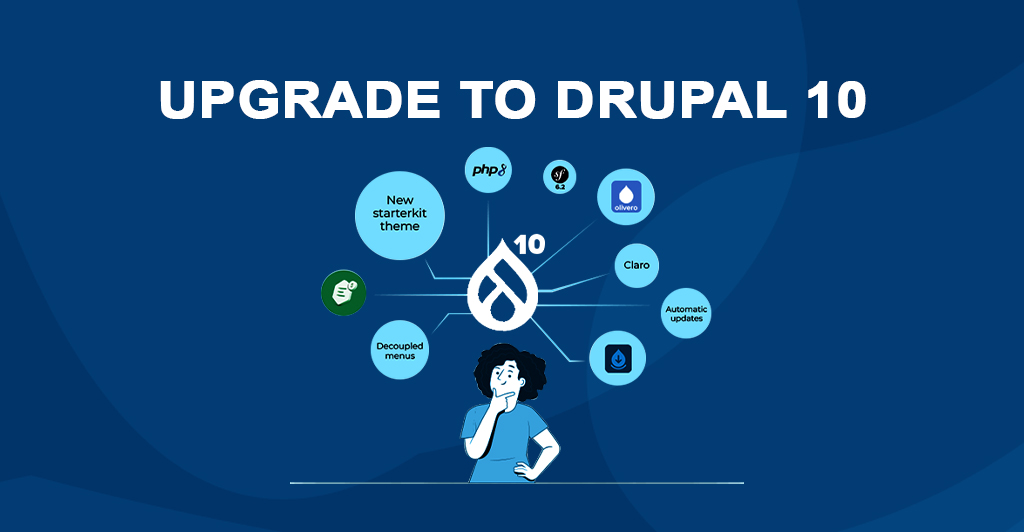
Drupal 10 plans to create a more approachable experience for non-technical users through the implementation of Project Browser and Automatic Updates for site builders and owners. Developers receive benefits from the Decoupled Menus initiative through a shared headless structure that matches the new Starterkit theme which provides a modern approach to theme creation. The new enhancements on Drupal should help users of all skill levels understand its capabilities better while promoting further exploration of its features.
How do you upgrade to Drupal 10?
Your business should begin by determining which Drupal version is currently running. To do this, go to Administration>Reports>Status report to see your Drupal core version number plus details about your installation.
Before proceeding with Drupal 10 upgrade users need to verify that their system uses Drupal 9.4 or newer. Users of Drupal 8 systems must first perform their system upgrade to version 9.4 before moving to Drupal 10. Migrating your website to Drupal 10 requires copying over all older software's apps, which will be discussed in more detail.
When Drupal 9's was released 71% of contributed projects implemented automated API conversion, according to Dries Buytaert who reported that 93% of deprecated API usage across all contributed projects for Drupal 10 have automated solutions.
Upgrading from Drupal 9 to Drupal 10

Drupal 9 and Drupal 10's architectures allow for codebase upgrades without rebuilding or content transfer, making upgrading simpler and less complex for those with less custom code. This means less customization is required for the upgrade process.
Before moving your website you have to learn about all new dependencies including Symfony 6.2 which Composer will install automatically during the Drupal 10 upgrade process.
Your hosting environment must support the newest PHP 8.1 and 8.2 versions before you perform the Drupal 10 upgrade. Drupal 10 eliminates jQuery UI to implement modern JavaScript components which could affect your project if you use jQuery UI in your current setup.
The Upgrade Status module allows administrators to run pre-upgrade site checks which verify module readiness for Drupal 10 and detect deprecated code that needs removal before an upgrade.
Once you’re ready to upgrade, follow these steps:
- Check infrastructure requirements (PHP 8.1)
- Update your current site to the latest version of Drupal 9 (9.4.8 or 9.5)
- Update your contrib projects to Drupal 10 compatible versions (most of them are compatible with D9 and 10 so you can upgrade and prepare for D10 while you're still live on D9)
- Upgrade your custom projects and add missing contrib modules by utilizing Drupal Rector for automated transformation
- After completing your project preparation work proceed with updating the core to Drupal 10Migrating from Drupal 7 to Drupal 10
Migrating from Drupal 7 to Drupal 10
Drupal 9 to 10 migration requires less effort than Drupal 7 to 10 migration yet needs thorough planning because of major alterations in content structure and API systems.
Upgrading from Drupal 9 to 10 requires less effort than moving from Drupal 7 to 10 because they have different system architectures and need detailed planning because of major content structure and API modifications.
The migration process in the digital world is an iterative process which focuses on creating a positive experience for both content providers and end users. The process needs to transfer Drupal 7 content to a new website while defining the information architecture and using the transfer module to move content from Drupal 7 to Drupal 10 and checking all legacy content for items that need to be eliminated before the transfer. The migration process requires a detailed evaluation of all legacy content to find obsolete or non-functional items that need to be discarded before the transfer.
The process of updating to the newest Drupal version brings website accessibility improvements and content strategy updates and necessary content changes which may create various challenges.
When should my organization upgrade?
The Drupal Association has evaluated the most popular version of open source software Drupal 7 which will reach its end of life on 5th January 2025. Users must switch to Drupal 10 for ongoing updates because Drupal 8 and 9 have reached their end of life and Drupal will discontinue support for every version except Drupal 10. Use our contact form to get in touch with us right now.
Websites without support are susceptible to bugs, outages, and cyber attacks. Custom infrastructure configurations can be more expensive than migrating when it comes to the implementation and upkeep of security measures. Drupal 7 Core supports PHP 8 because PHP 7 has reached the end of its life, although custom and contrib modules might not. A website that is still using Drupal 7 can have incompatible requirements. Organizations must continue their Drupal development because new features will become available through Drupal 10. Organizations need to start their Drupal 10 migration process immediately because this process requires proper planning to succeed.
It’s not too late, Need help?
Drupal users need to start planning their migration to Drupal 10 more than a year in advance but it is still possible to get help now especially for those running Drupal 7 or older versions. The migration process demands adequate preparation along with sufficient time and it presents a perfect opportunity to pursue website redesign. The decision to shift or upgrade websites delivers valuable benefits which meet the contemporary digital needs of customers.
Currently is the best time to make your Drupal 10 transition plan regardless of your current Drupal version or your interest to convert from other CMS platforms to Drupal. Use our contact form to connect with us immediately.